



Want to know how to put the Flash Tag Cloud in your blog?
Just follow the steps.
step #1
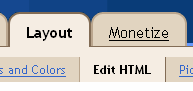
First, go to 'Layout' tab and choose the Edit HTML section ( Layout>Edit HTML )
Step #2.
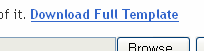
For this step you need to backup your template (click the 'Download Full Template' to backup your template)
Step #3.
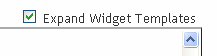
To start editing your template, please click the 'Expand Widget Templates'
Step #4.
Use Ctrl+F to find this code line:
sidebar' preferred='yes'>- Then, paste this code below after the line:
<b:widget id='Label100' locked='false' title='Labels' type='Label'>
<b:includable id='main'>
<b:if cond='data:title'>
<h2><data:title/></h2>
</b:if>
<div class='widget-content'>
<script src='http://halotemplates.s3.amazonaws.com/wp-cumulus-example/swfobject.js' type='text/javascript'/>
<div id='flashcontent'>Blogumulus by <a href='http://www.roytanck.com/'>Roy Tanck</a> and <a href='http://www.bloggerbuster.com'>Amanda Fazani</a> | <a href='http://www.syafzpic.com'>syafzPic</a></div>
<script type='text/javascript'>
var so = new SWFObject("http://halotemplates.s3.amazonaws.com/wp-cumulus-example/tagcloud.swf", "tagcloud", "240", "300", "7", "#ffffff");
// uncomment next line to enable transparency
//so.addParam("wmode", "transparent");
so.addVariable("tcolor", "0x333333");
so.addVariable("mode", "tags");
so.addVariable("distr", "true");
so.addVariable("tspeed", "100");
so.addVariable("tagcloud", "<tags><b:loop values='data:labels' var='label'><a expr:href='data:label.url' style='12'><data:label.name/></a></b:loop></tags>");
so.addParam("allowScriptAccess", "always");
so.write("flashcontent");
</script>
<b:include name='quickedit'/>
</div>
</b:includable>
</b:widget>
Save template. Done!
Click this LINK for demo...


 I am Syafiq Zaimi @ syafzPic
Student, Engineer, Mac and Windows user, Web addicted. I
live in Terengganu, Malaysia.
I am Syafiq Zaimi @ syafzPic
Student, Engineer, Mac and Windows user, Web addicted. I
live in Terengganu, Malaysia.